

Whisper Web
MP4

Free Facebook Video Downloader

Download Facebook videos and Reels as HD MP4 with Whisper Web — paste the video link, pick a quality, and save the file to any device. No signup, no ads, no watermark — plus a built-in way to transcribe every Facebook video to text.

Make sure you don't violate the rights of others with any files you download.

Copyrighted music can't be downloaded with this tool.

After you've downloaded your file, visit Your Dashboard to upload and transcribe it.

Powered by Whisper WebTranscribe audio and video to accurate text in seconds.

About the Free Facebook Video Downloader

Facebook hosts billions of videos — tutorials, live replays, Reels, marketing clips, family moments — but the platform gives you no real way to save them. This free Facebook video downloader fixes that: paste a public Facebook video link and download the video as an MP4 file in its original quality, straight from your browser, with no account and no software.

Most Facebook video downloaders make you fight through pop-ups, fake Download buttons, and ad redirects before you ever reach the file. Whisper Web takes the opposite approach: no ads, no browser extension, no desktop app — one clean page that turns a Facebook video URL into a download link in seconds. And we are honest about scope: the downloader works with public Facebook videos only; private and friends-only videos stay private.

Every common Facebook video link works. Paste classic facebook.com/watch URLs, short fb.watch links, mobile m.facebook.com links, the newer facebook.com/share/v/ format, and Facebook Reels URLs. The downloader resolves the link, fetches the available video formats from Facebook's own servers, and lists every quality so you can download exactly the version you need.

Quality is preserved end to end. Facebook serves most videos in SD and HD — typically 720p or 1080p for newer uploads — and the downloader simply hands you the original MP4 stream: no re-encoding, no extra compression pass, no watermark stamped over the footage. The downloaded video is exactly what Facebook streams, saved as a file you control.

Who downloads Facebook videos? Social media managers archiving campaign videos before a page cleanup. Creators backing up their own Reels and live replays. Teams saving customer testimonial videos for a sales deck. Researchers and journalists preserving public statements. And everyday users who simply want to watch a Facebook video offline — on a flight, or on a device without the Facebook app.

Here is what no other Facebook video downloader offers: a direct path from download to transcript. Once the video is saved, drop it into Whisper Web's dashboard and transcribe the audio to text right in your browser — powered by local Whisper AI, so the audio never leaves your device. Download a Facebook video, get the MP4 and an accurate transcript, all in one place.

Whether you need one Facebook video for an offline presentation or a steady workflow for archiving Reels, this downloader keeps it simple: paste the link, download the video, and — when you need the words too — transcribe it for free. Unlimited Facebook video downloads, every device, no signup.
How to Download Facebook Videos in 3 Steps

Free Facebook video download in under a minute — copy, paste, download.

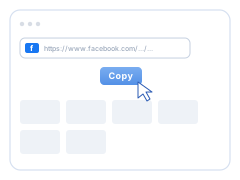
  1. Copy the Facebook video link

    1. Copy the Facebook video link. Open the Facebook video, Reel, or Watch page and copy its URL — use Share → Copy link in the app, or the address bar on desktop.

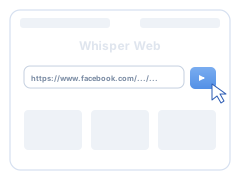
  2. Paste the link above

    2. Paste the link above. Paste the Facebook video URL into the input field at the top of this page and click Download.

  3. Pick a quality and download

    3. Pick a quality and download. Choose the MP4 quality you want — HD when Facebook provides it — and the video downloads straight to your device.

Why Use This Facebook Video Downloader?

Four reasons people switch to Whisper Web for Facebook video downloads — and stay for the transcription.

Original HD quality, no watermark

The downloader serves Facebook's own MP4 streams at their original resolution — HD 1080p when available — with no re-encode, no quality loss, and no watermark over your video.

No ads, no extension, no signup

Ad-heavy Facebook downloaders bury the real Download button under pop-ups. This one is a single clean page: no ads, no browser extension, no account, unlimited free video downloads.

Works on every device

Download Facebook videos on Windows, Mac, Linux, Android, and iPhone — in Chrome, Safari, Firefox, or Edge. Everything runs in the browser; there is nothing to install.

Download + transcribe in one place

Only Whisper Web pairs a Facebook video downloader with free local transcription. Save the video, then turn its audio into text, subtitles, or notes — without the file ever leaving your browser.

Facebook Video Downloader — Frequently Asked Questions

Quick answers to the questions people ask most about downloading Facebook videos.

How do I download a video from Facebook?
Copy the Facebook video link (Share → Copy link in the app, or the address bar on desktop), paste it into the box at the top of this page, and click Download. The downloader lists every available quality — pick one and the MP4 saves to your device. The whole Facebook video download takes under a minute.
Which Facebook video links does the downloader support?
All the common formats: facebook.com/watch page URLs, short fb.watch share links, mobile m.facebook.com links, the newer facebook.com/share/v/ links, and Facebook Reels URLs. If Facebook can play the public video, the downloader can usually fetch it.
Can I download private or friends-only Facebook videos?
No — and we are upfront about it. This downloader only works with public Facebook videos. Private videos, friends-only posts, and videos inside closed groups are protected by Facebook's privacy settings, and we do not bypass them. Tools that promise private Facebook video downloads usually want your login credentials — we never ask for yours.
Can I download Facebook Reels and Live videos?
Facebook Reels: yes — paste the Reel URL and download it like any other Facebook video. Facebook Live: you cannot download a stream while it is live, but once the broadcast ends and Facebook publishes the replay as a public video, paste that link and download it normally.
What video quality will the downloaded Facebook video have?
Whatever Facebook serves for that video — the downloader lists every available MP4 stream, typically SD plus HD (720p or 1080p for most modern uploads). The download preserves the original resolution with no re-encoding and no watermark. If a video only offers low quality, that is the best version Facebook itself is serving.
Is the Facebook video downloader free? Do I need an account or an app?
Completely free, with unlimited downloads. There is no signup, no browser extension, and no desktop or mobile app to install — the Facebook video downloader runs entirely in your web browser, built on the same infrastructure as Whisper Web's free transcription.
Which devices and browsers work, and where do downloaded videos go?
Any device with a modern browser: Windows, Mac, Linux, Android phones and tablets, iPhone and iPad — in Chrome, Safari, Firefox, Edge, Opera, or Brave. Downloaded Facebook videos land in your browser's standard Downloads folder; press Ctrl+J (Cmd+J on Mac) to see the download history.
Is it legal and safe to download Facebook videos?
Downloading your own videos, content you have permission to save, or material covered by fair use is generally fine; re-uploading or monetizing someone else's Facebook video is not. On safety: this downloader never hosts videos — files come straight from Facebook's own CDN to your device, we keep no copies, and we never ask for your Facebook login.
Can I get a transcript of a downloaded Facebook video?
Yes — this is what separates Whisper Web from every other Facebook video downloader. Download the video, then drop the MP4 into the dashboard: local Whisper AI transcribes the audio to text, subtitles (SRT), or notes right in your browser. The video and its audio never leave your device — nothing is uploaded anywhere.