Whisper Web
Start free
MP4

Pinterest Video Downloader

Save any public Pinterest video as an HD MP4. Paste a Pin or pin.it link, pick a quality, and download — no login, no app, no added watermark.

Works with links like pinterest.com/pin/… and pin.it/…

Copyrighted music can't be downloaded with this tool.

Powered by Whisper Web — Transcribe audio and video to accurate text in seconds.

About the Pinterest Video Downloader

Pinterest is full of short videos worth keeping — recipes, DIY steps, workouts, outfit ideas, product demos, and design inspiration. Pinterest lets you save a Pin to a board, but not to your phone or computer. This Pinterest video downloader fills that gap: paste a link and get a plain MP4 file you can watch offline, keep in your reference folder, or drop into an editor.

When you paste a link, Whisper Web looks up the public Pin, finds the video files Pinterest itself serves, and lists the ones you can save directly — usually 720p HD, plus smaller versions for quick saves. You download the original file from Pinterest's servers; we do not re-encode it, compress it, or stamp a watermark on it.

Short pin.it links from the Pinterest app are supported, so you do not need to open a desktop browser to get the full URL. Country domains such as pinterest.co.uk, pinterest.ca, or de.pinterest.com work the same way as pinterest.com.

Because the result is a standard MP4 with H.264 video and AAC audio, it plays on iPhone, Android, Windows, Mac, smart TVs, and in every common video editor without any conversion.

The part other Pinterest downloaders skip: once the video is on your device, you can open your Whisper Web Dashboard and turn its voice-over into text. A recipe video becomes a written ingredient list, a tutorial becomes a step-by-step checklist, and a talking-head clip becomes captions you can reuse.

Only download videos you have the right to save — your own Pins, content that is licensed for reuse, or videos you keep for personal reference. Respect creators' rights and Pinterest's terms, and ask the creator before reposting their work.
How to Download Pinterest Videos in 3 Steps

Copy the Pin link, paste it here, and save the MP4 — it takes under a minute.

  1. Copy the Pin link

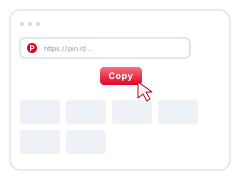
    1. Copy the Pin link. Open the video Pin and tap Share → Copy link in the app, or copy the address bar on desktop.

  2. Paste the link above

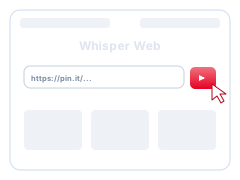
    2. Paste the link above. Paste the pinterest.com/pin or pin.it link into the box at the top of this page and click Download.

  3. Pick a quality and save

    3. Pick a quality and save. Choose the MP4 quality you want — HD when Pinterest provides it — and the video saves to your device.

Which Pinterest links work?

Paste the link of one public video Pin. Here is what the downloader can and cannot fetch.

Works

  • Pin links: pinterest.com/pin/123456789/
  • Short share links from the app: pin.it/AbC123
  • Country domains such as pinterest.co.uk, pinterest.ca, or in.pinterest.com
  • Video Pins and Idea Pin videos, in the qualities Pinterest provides

Does not work

  • Private Pins, secret boards, or anything that needs a login
  • Whole boards or profiles (paste one Pin at a time)
  • Image-only Pins and GIFs (this page saves videos)
  • Upscaling: you get the best quality Pinterest serves, never a fake 4K

Download Pinterest Videos on iPhone, Android, and PC

The same page works everywhere — only the way you copy the link changes.

iPhone and iPad

In the Pinterest app, open the video Pin, tap Share, then Copy link. Open this page in Safari, paste the link, and tap Download. The MP4 appears in the Files app under Downloads — tap Share → Save Video to move it to Photos.

Android

In the Pinterest app, tap Share → Copy link on the video Pin. Paste it here in Chrome and tap Download. The video saves to your Downloads folder and shows up in your gallery app.

Windows, Mac, and Chromebook

Open the Pin on pinterest.com and copy the address from the browser bar. Paste it above, choose a quality, and the MP4 lands in your Downloads folder — press Ctrl+J (Cmd+Shift+J in Safari) to find it.

Why Use This Pinterest Video Downloader?

A clean downloader that gives you the original file — and a way to turn it into text.

Original HD quality, no added watermark

You get the MP4 file Pinterest serves for that Pin, up to its highest available resolution, without re-encoding and without a watermark added by us.

No login, no app, no extension

You never sign in to Pinterest here and never install anything. Paste a link in any modern browser and download.

pin.it links work directly

Paste the short link the Pinterest app copies. The downloader resolves it to the Pin for you, so mobile users do not need to hunt for the full URL.

Download, then transcribe

Save the video, then turn its speech into text, notes, or subtitles in Whisper Web — useful for recipes, tutorials, and how-to Pins.

Pinterest Video Downloader — FAQ

Quick answers to the questions people ask most about saving Pinterest videos.

How do I download a video from Pinterest?
Open the video Pin, copy its link (Share → Copy link in the app, or the address bar on desktop), paste it into the box at the top of this page, and click Download. Pick a quality from the list and the MP4 saves to your device.
Can I download Pinterest videos on iPhone?
Yes. Copy the Pin link in the Pinterest app, open this page in Safari, paste the link, and tap Download. The file goes to Files → Downloads; open it and tap Share → Save Video to add it to Photos.
Do I need a Pinterest video downloader app?
No. This downloader runs in your mobile or desktop browser, so there is nothing to install. Add the page to your home screen if you want app-like access.
Does it work with pin.it short links?
Yes. Paste the pin.it link exactly as the Pinterest app copies it. The downloader follows it to the original Pin and finds the video for you.
What quality will the downloaded video have?
The best quality Pinterest serves for that Pin, which is usually 720p HD, sometimes higher. If a Pin only offers a lower resolution, that is the best version available — the downloader never upscales or fakes a higher quality.
Does the downloaded video have a watermark?
Whisper Web does not add any watermark. You get the file as Pinterest serves it; if the creator burned a logo or watermark into the original video, it stays part of that video.
Can I download private Pins or whole boards?
No. Only public video Pins work, one link at a time. Private Pins, secret boards, and content that requires a login are not supported, and we never ask for your Pinterest password.
Can I download Pinterest images or GIFs here?
This page is built for video Pins. Image-only Pins and GIFs are not supported yet — use Pinterest's own Download image option for those.
Is it legal to download Pinterest videos?
Saving a video for personal, offline reference is generally fine, but the video still belongs to its creator. Do not repost, sell, or claim someone else's video as your own without permission, and follow Pinterest's terms and your local copyright law.